
Viewers
Content decides, not the name
Section titled “Content decides, not the name”Before showing a file, TRACE identifies it from its content as well as its name. When a confident content type disagrees with the extension, the content wins and a notice says so – a JPEG named .txt is shown as a JPEG. Ambiguous content (a ZIP container, plain text) defers to the extension.
The viewers
Section titled “The viewers”| Pictures | every common format, plus HEIC, AVIF, JPEG 2000, PSD and PCX; zoom and pan |
| Documents | PDF, EPUB, XPS, CBZ, FB2 and MOBI, page by page |
| Office | Word, Excel, PowerPoint and OpenDocument – including what a reader would not see: tracked deletions, comments, speaker notes, hidden sheets, reported in the notice bar |
| Audio and video | streamed from the image, any size; frame-by-frame stepping, ±5 s jumps, speed, loop, and Save Frame as a PNG named with its time |
| HTML | rendered offline: no scripts run and nothing is fetched (see below) |
| Outlook PST / OST, EML and mbox, as folders and messages with attachments | |
| SQLite | every table, plus rows recovered from free space and the write-ahead log beside it |
| Registry hives | keys and values, with transaction logs replayed |
| Archives | ZIP, 7z, RAR, TAR, GZIP, BZIP2 and XZ browsed like folders – in memory, never unpacked to disk |
| Text | text files in their encoding, or the ASCII and UTF-16 strings of anything else, with offsets |
| File metadata | everything known about the file: times, attributes, type, hashes, EXIF and GPS, authors, executable details |
HTML from evidence never meets a browser
Section titled “HTML from evidence never meets a browser”A web page from a suspect’s disk can call home: a remote image or script tells its owner the page was opened, and from where. TRACE renders HTML with a document viewer instead of a browser engine – no scripts, nothing fetched from the network or the disk. Embedded data: images render; everything else is counted as blocked and the count shown. Links are not followed.
The hex view
Section titled “The hex view”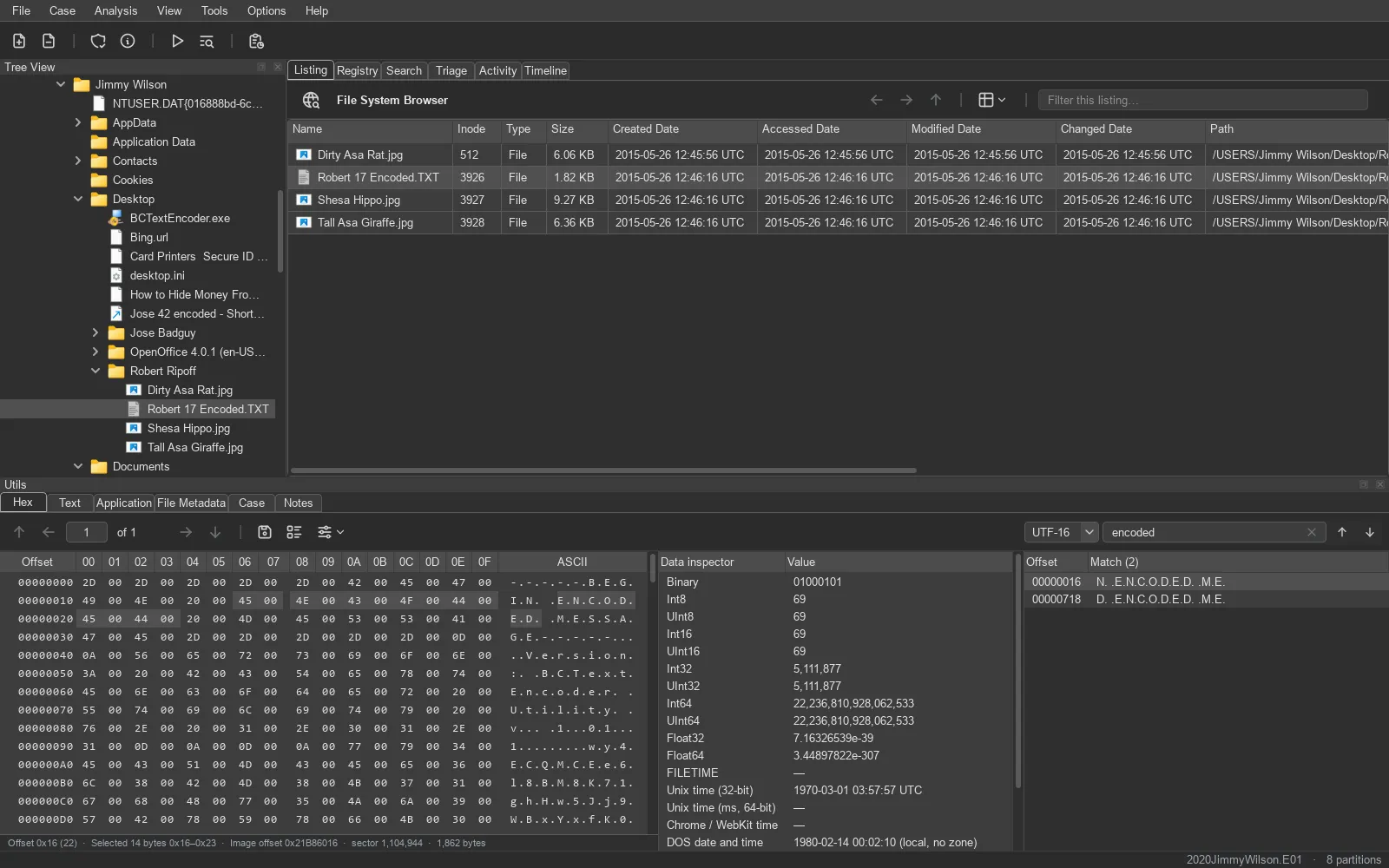
- Search for text, UTF-16 text (any case), hex bytes, or jump to an offset; every match on the page is marked, F3 steps through them.
- Data inspector: integers and floats in either byte order, FILETIME, Unix and Unix-millisecond times, WebKit, DOS, HFS+ and Apple absolute times, GUIDs – implausible times shown as —, not as a misleading date.
- The status line shows the offset, the selection, and where it sits on the disk image – the image offset and sector, from the file’s data runs.
- Copy a selection as hex, C array, Base64 and more; export it; or bookmark the byte range.
- 8, 16 or 32 bytes per line, hex or decimal offsets, and a character column that selects bytes too.
Thumbnails and icons
Section titled “Thumbnails and icons”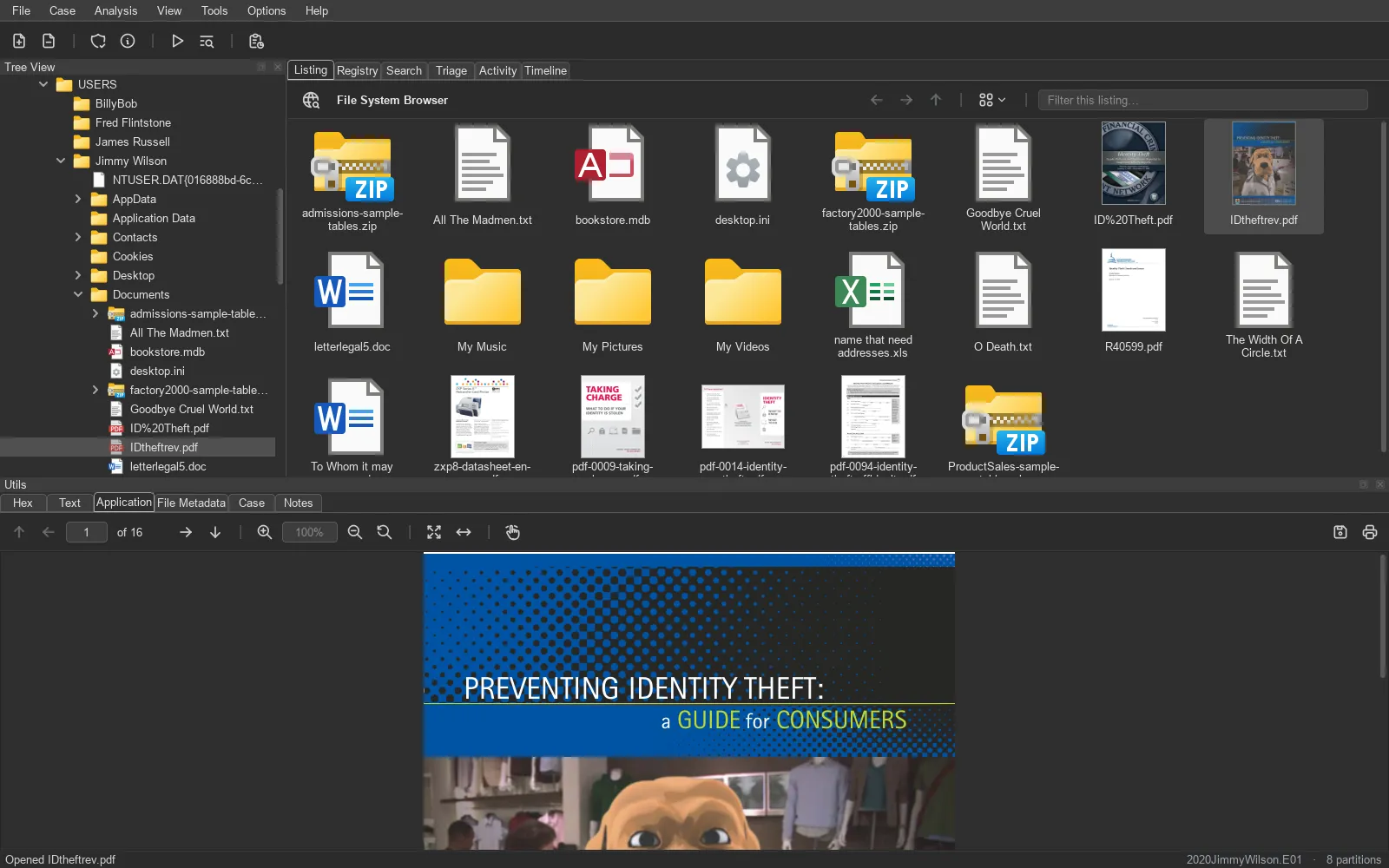
The listing switches between details, a list and four icon sizes. From medium up, items get thumbnails – identified by content, so a renamed picture still shows itself: pictures, a PDF’s first page, Office and OpenDocument embedded previews, and a frame from about 10% into a video. Thumbnails are scaled to fit and never cropped: a cropped thumbnail hides evidence. Programs (.exe, .scr, .cpl) show their own icons, read from the file.
Registry
Section titled “Registry”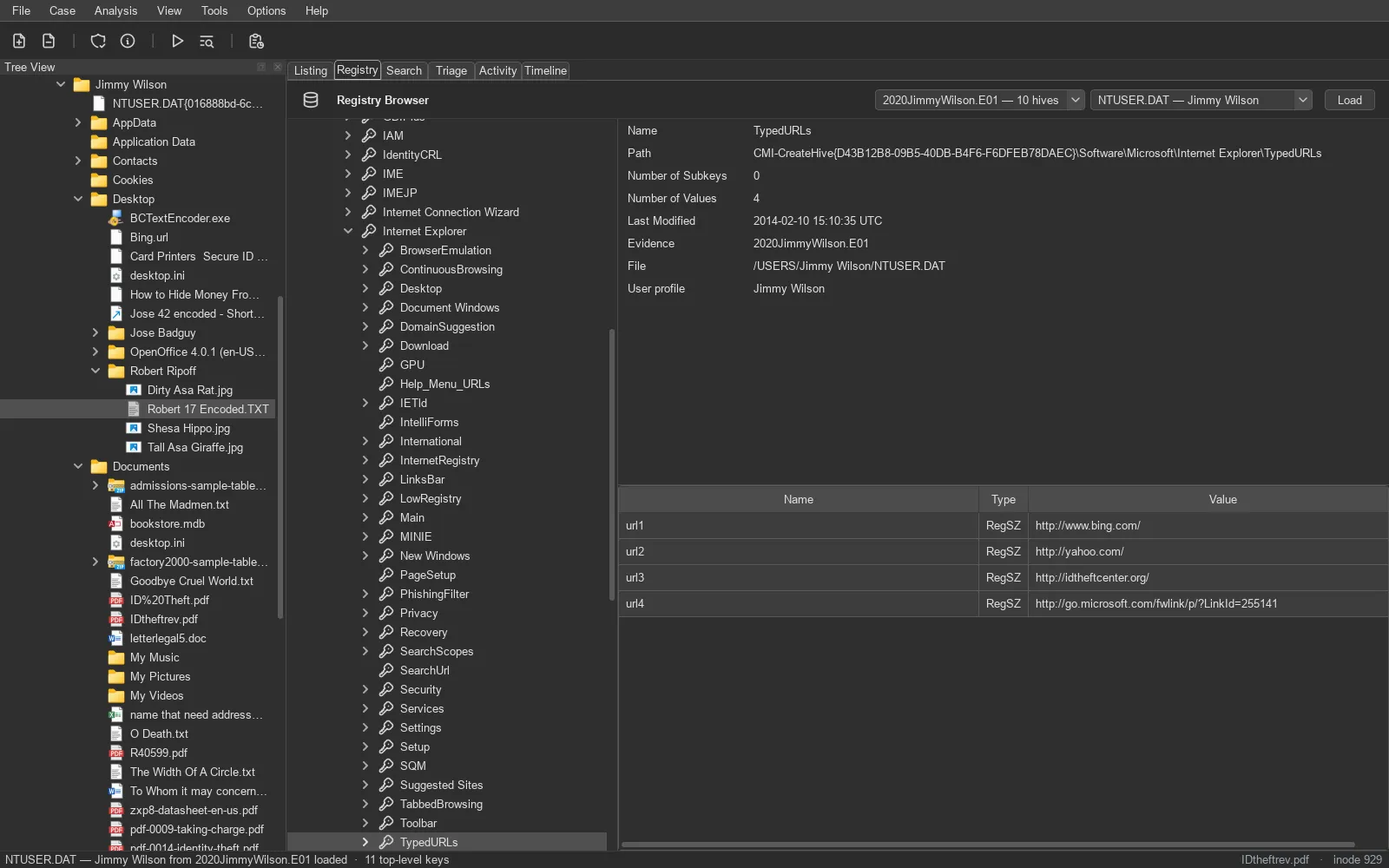
The Registry tab finds every hive on the evidence you pick – SYSTEM, SOFTWARE, SAM, SECURITY, their RegBack copies, Amcache, BCD, and each user’s NTUSER.DAT and UsrClass.dat – and replays their transaction logs (.LOG1 / .LOG2) in memory first, so you see what Windows would have seen. The recovered hives are byte-identical to yarp’s.