

TRACE · Toolkit for Retrieval and Analysis of Cyber EvidenceOpen-source digital forensics software.
- file types carved
- 70
- file systems read
- 9
- kinds of encryption unlocked
- 5
- platforms tested
- 4
- free and open source
- MIT
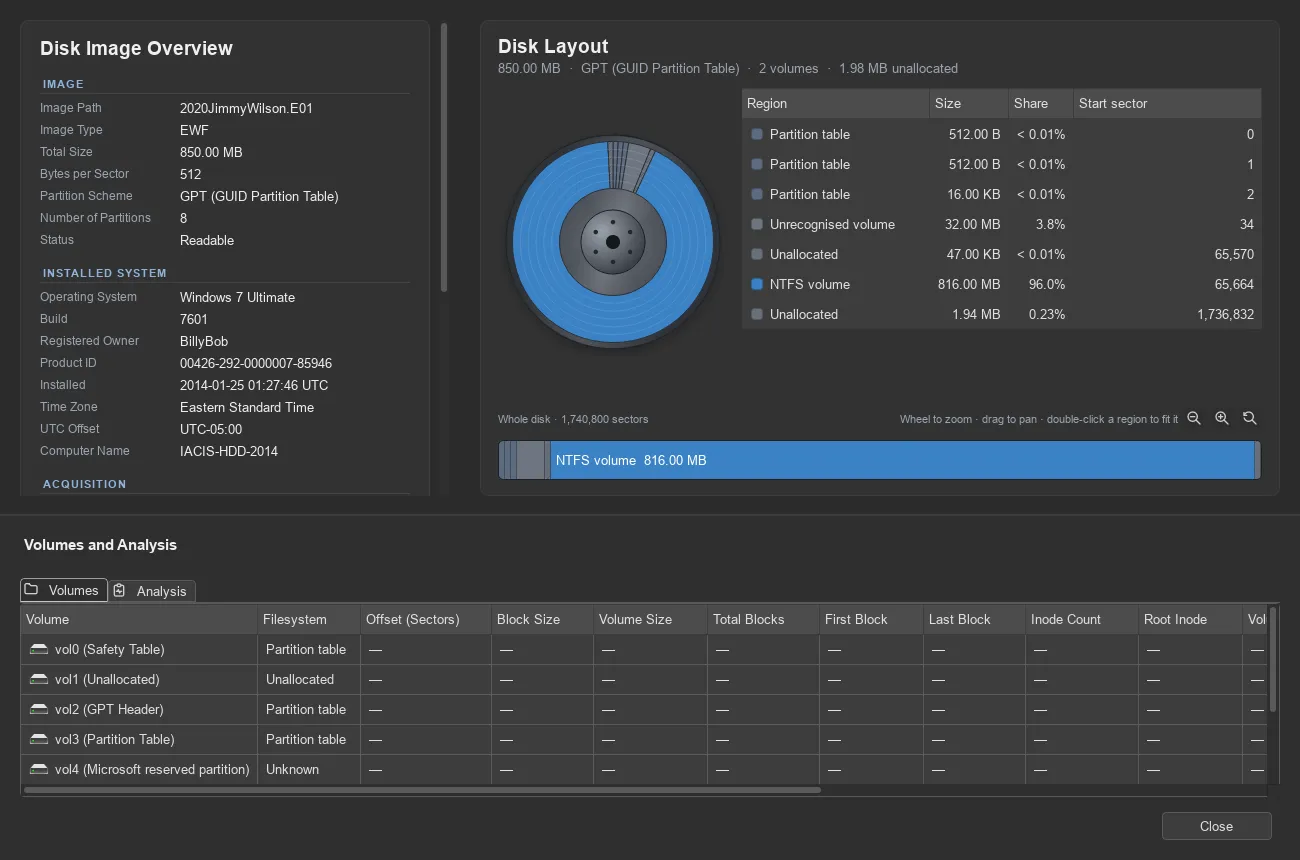
Screenshots
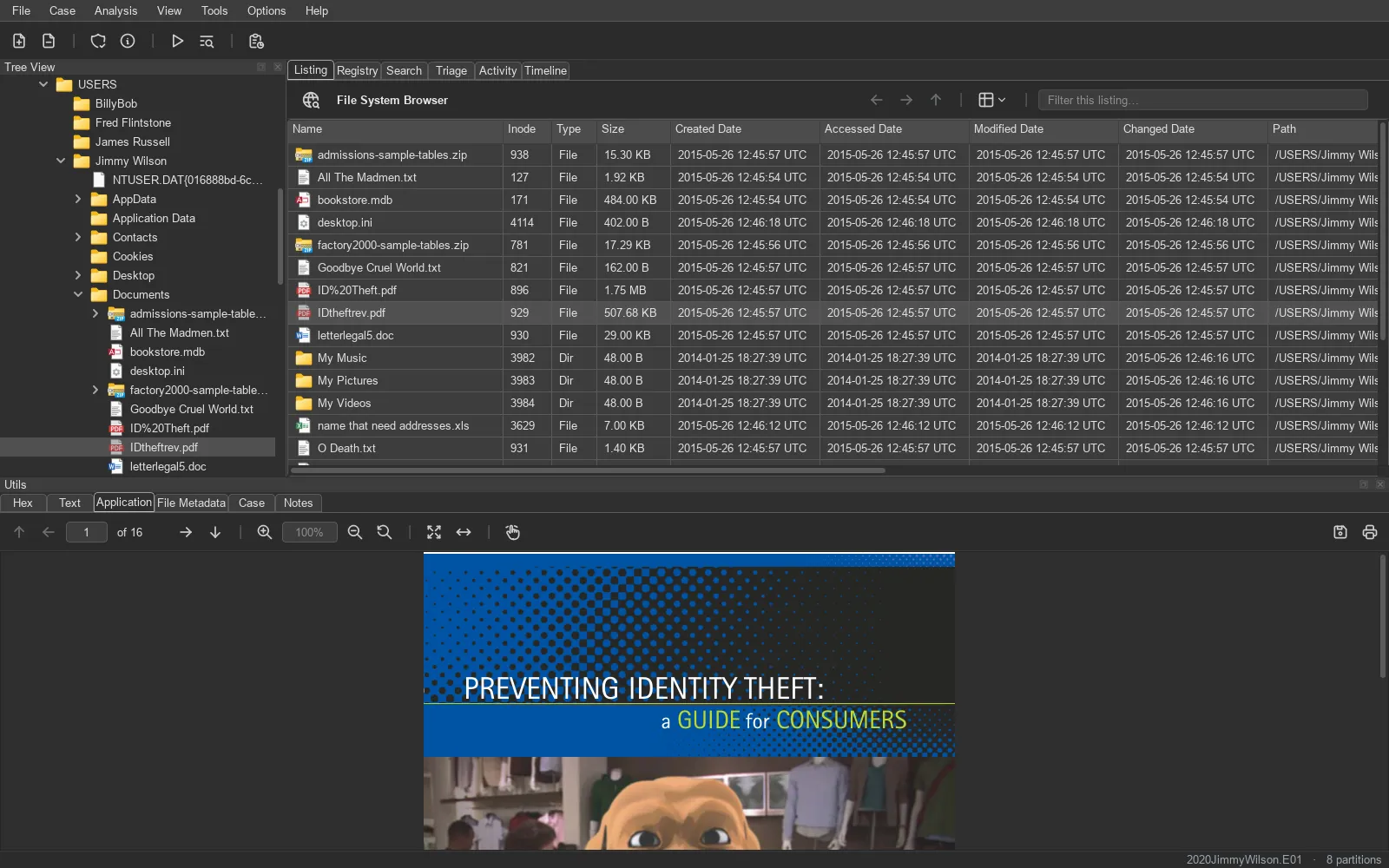
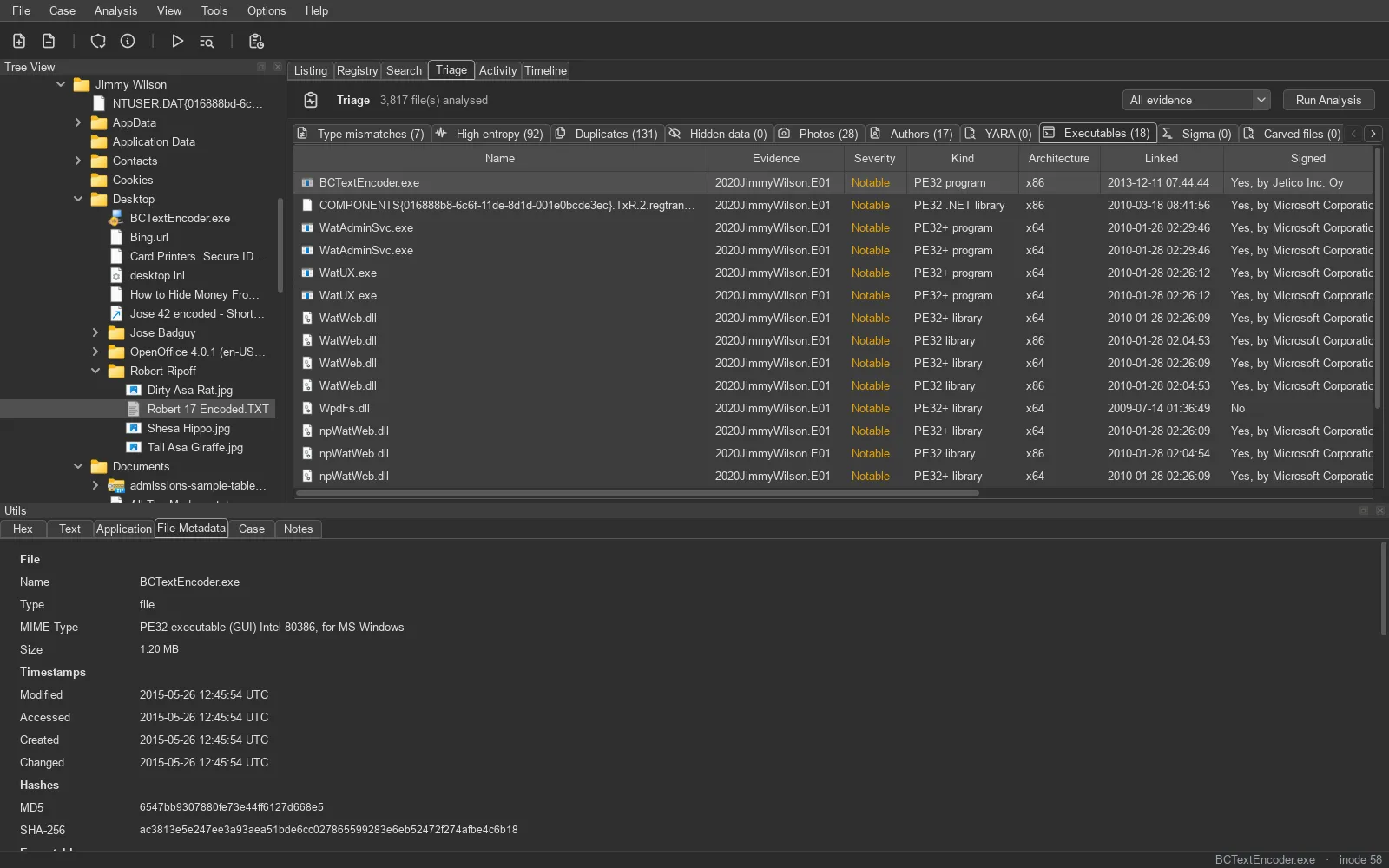
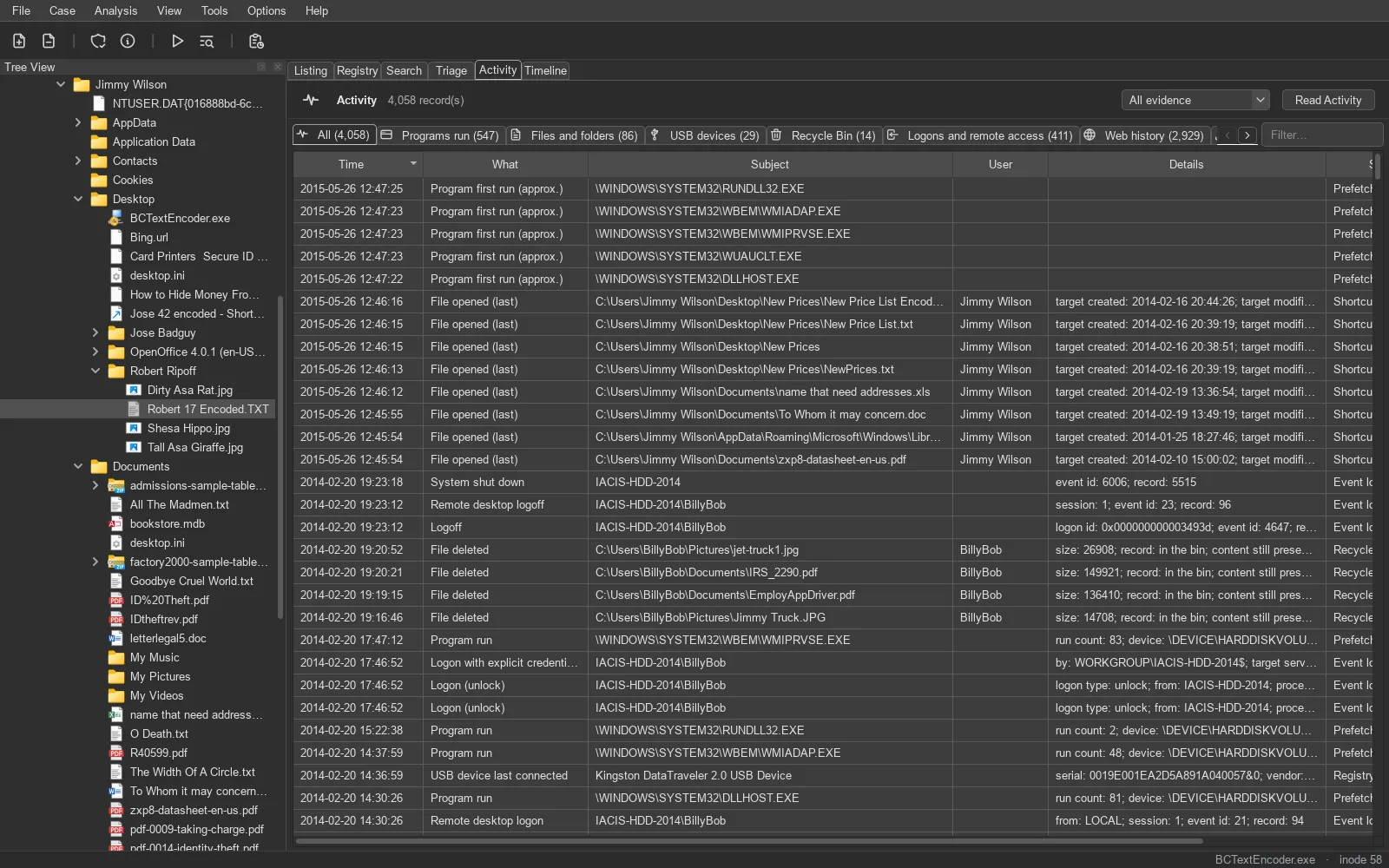
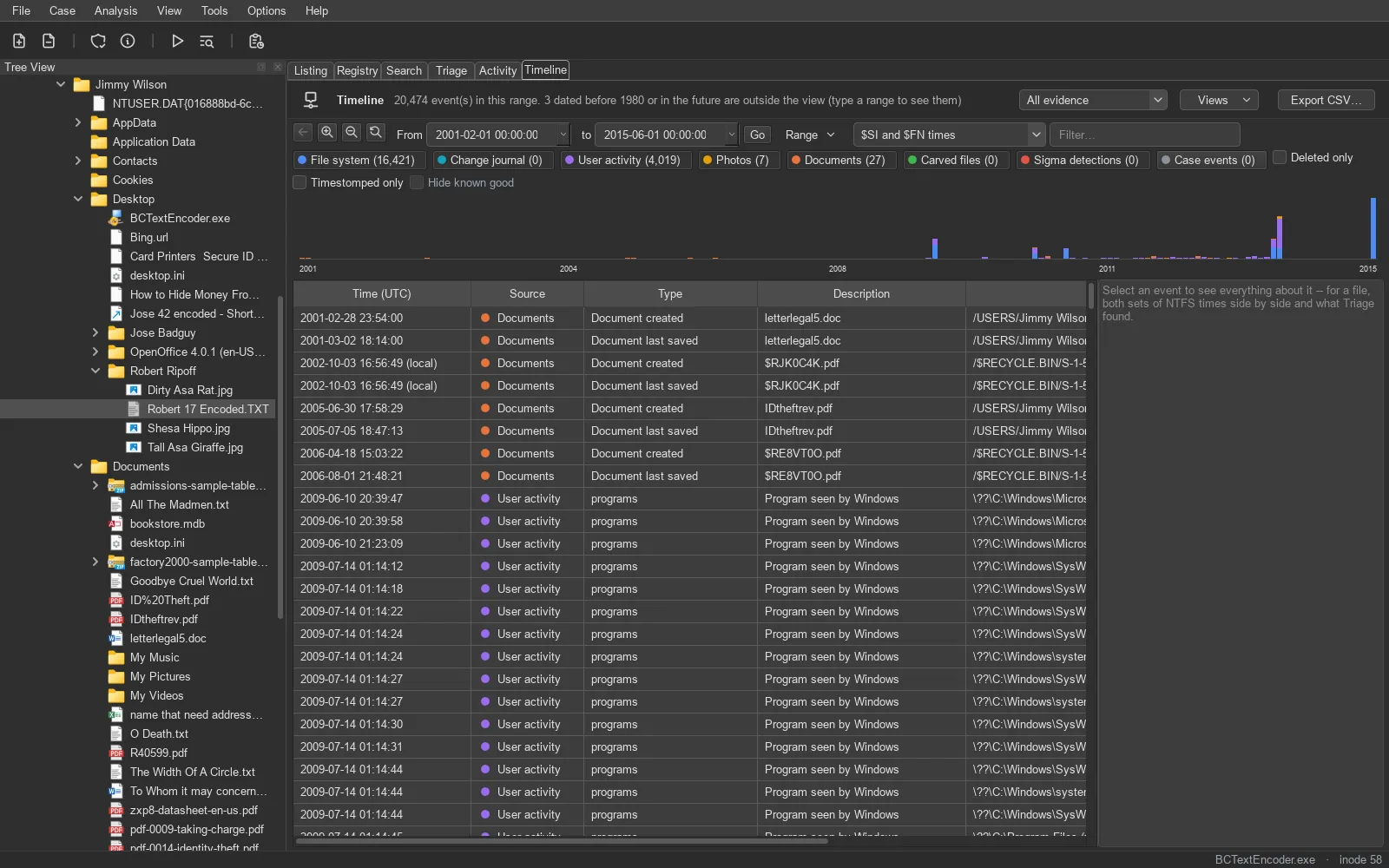
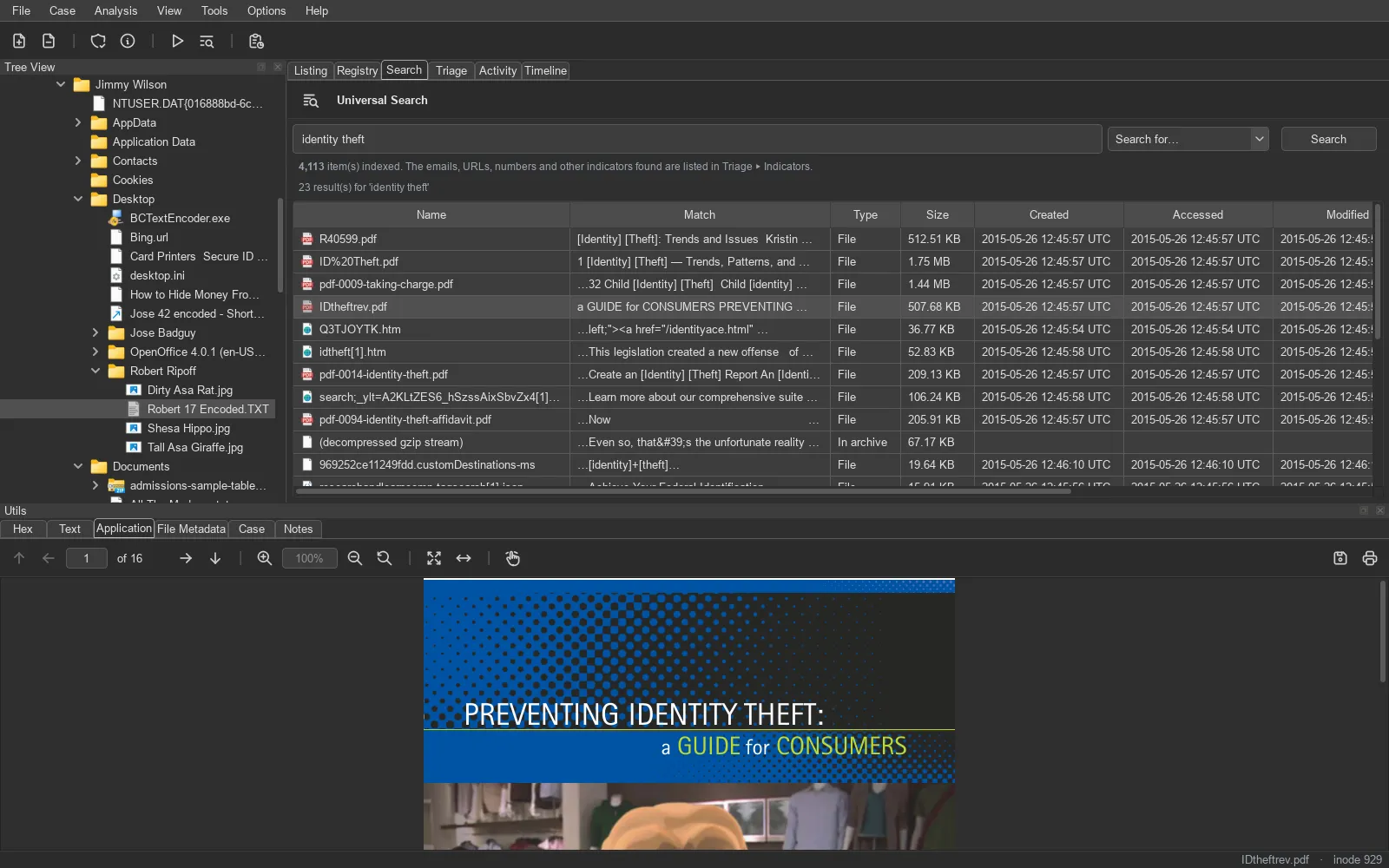
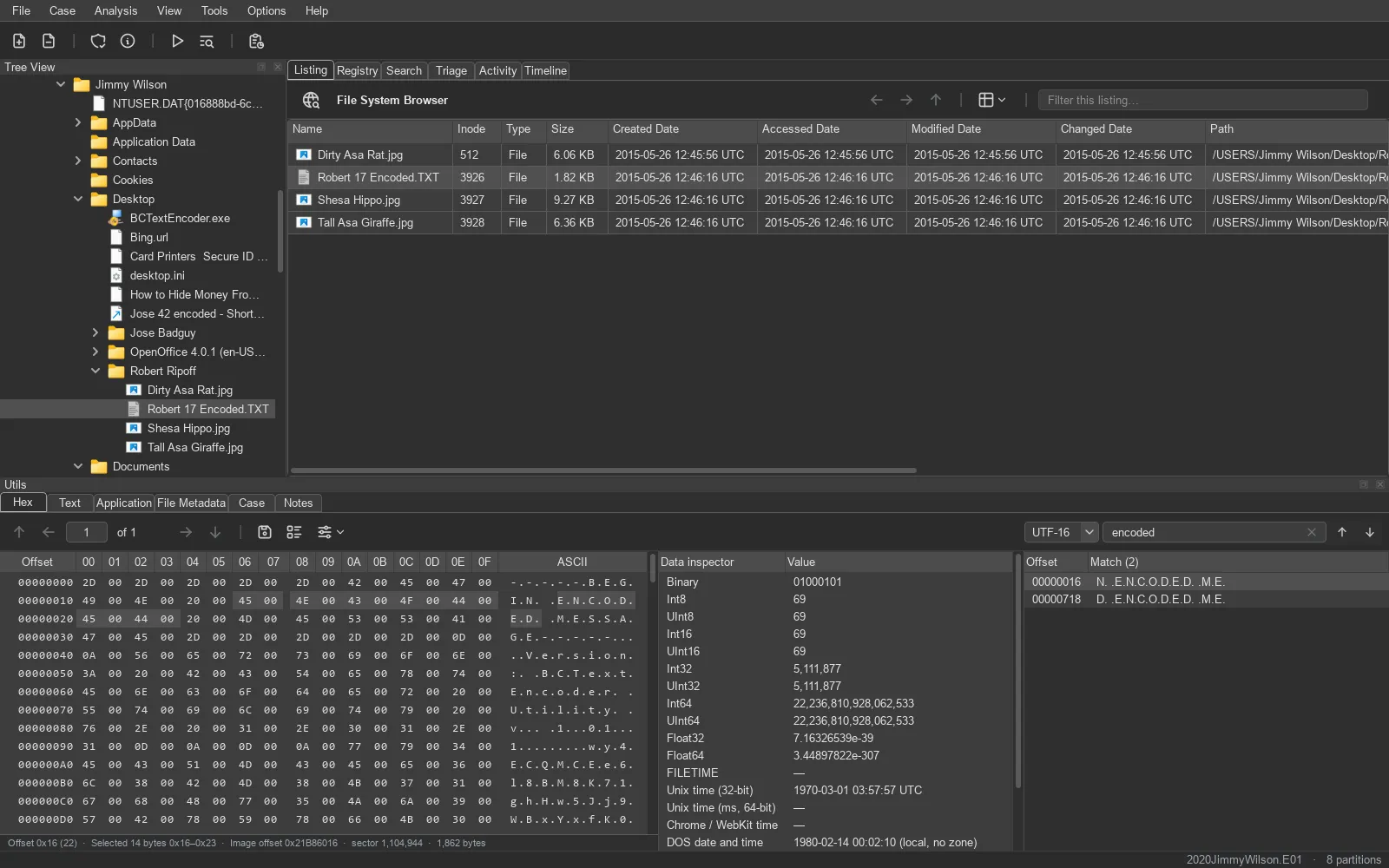
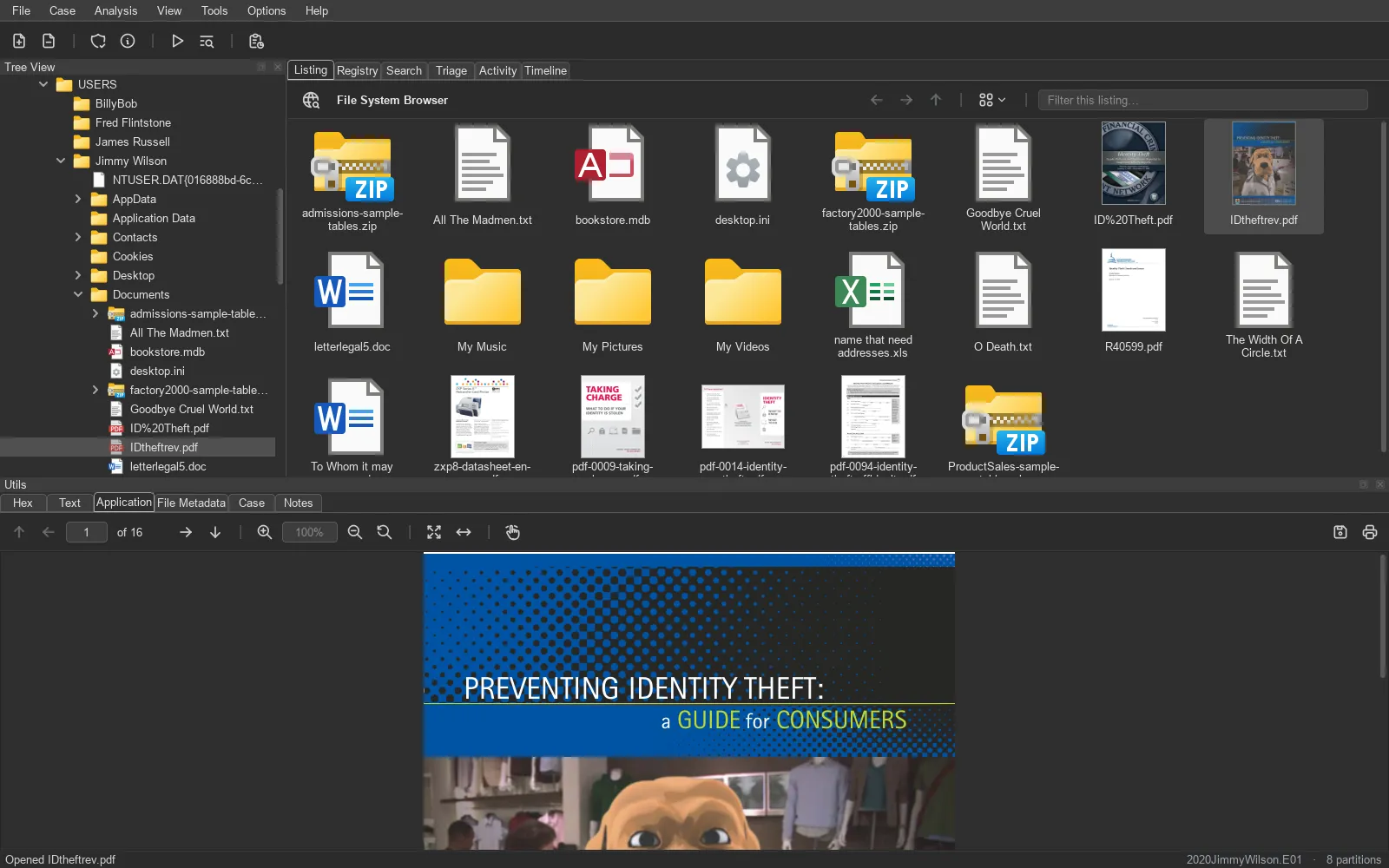
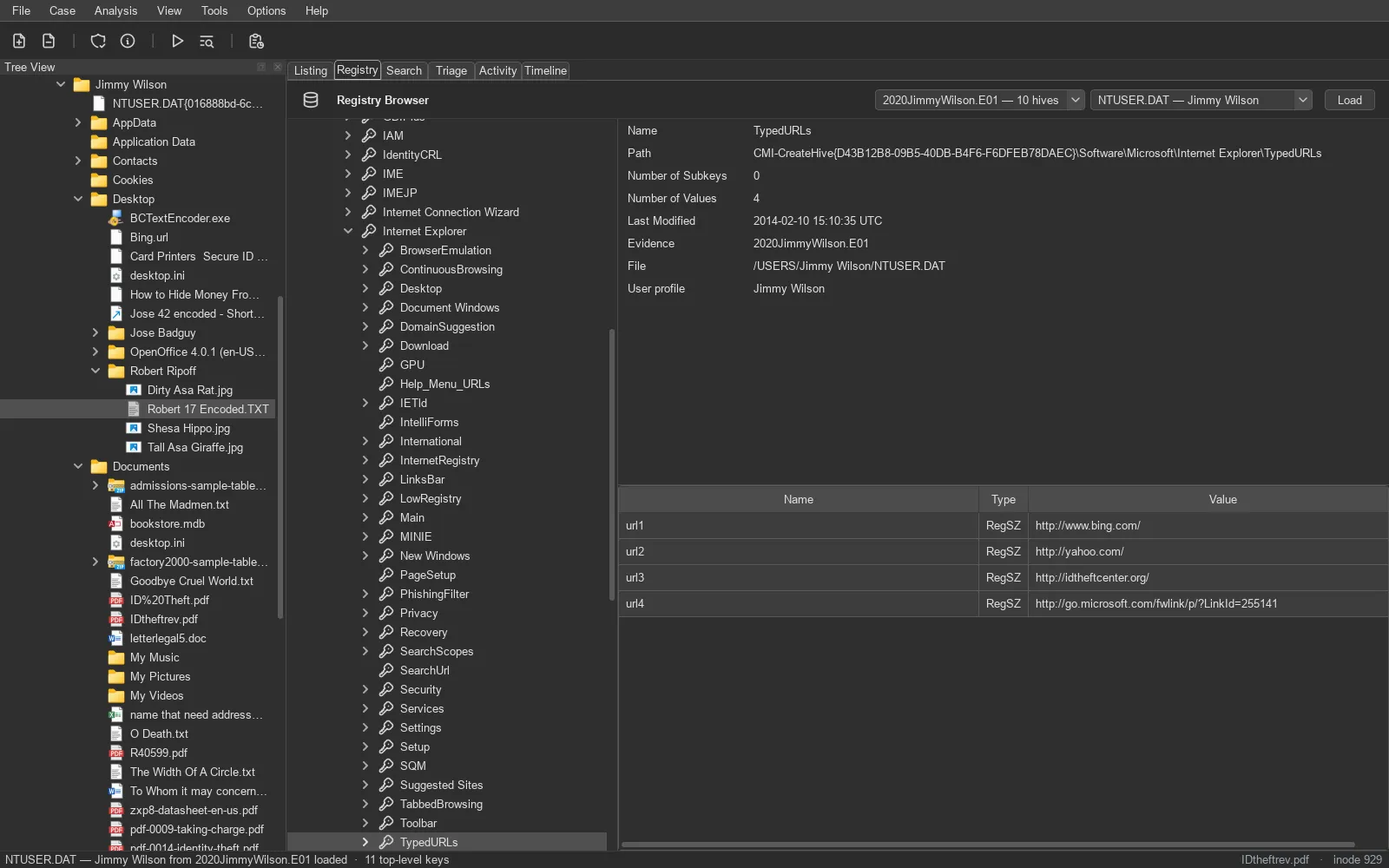
Section titled “Screenshots”One window for the whole investigation: the evidence tree, every timestamp, and a viewer for whatever you select.
What it does
Section titled “What it does”From the first hash check to the final report, in one application that never writes to the evidence.
How it handles evidence
Section titled “How it handles evidence”Supported evidence
Section titled “Supported evidence”| Disk images | E01 / Ex01, AFF4, raw / dd (split too), ISO, DMG, VMDK, VHD / VHDX, QCOW2 |
| Logical images | AD1, L01, ZIP / TAR, a folder (KAPE, Velociraptor), iOS backups |
| Live disks | an attached disk, read-only, without imaging it first |
| File systems | NTFS, FAT, exFAT, ext2/3/4, HFS+, APFS, XFS, UFS, ISO 9660 |
| Encrypted volumes | BitLocker, FileVault 2, LUKS, encrypted APFS and iOS backups |
| Inside files | archives (ZIP, 7z, RAR, TAR…), PST / OST, EML / mbox, registry hives, event logs, SQLite |
How it is tested
Section titled “How it is tested”File carving is scored, not eyeballed: the real carvers run over public test images and are compared with the answer keys their authors published. A change that loses a file fails the build.
| Test image | Files located | Byte-exact |
|---|---|---|
DFTT #11 11-carve-fat.dd |
15 / 15 | – |
DFTT #12 12-carve-ext2.dd |
10 / 10 | 3 / 3 |
| DFRWS 2006 challenge | 27 / 27 | 12 / 12 |
| DFRWS 2007 challenge | 78 / 114 | 16 / 16 |
| Real-file corpus (63 formats) | 63 / 63 | 63 / 63 |
How TRACE is tested → · Every test image and what it tests →
Get TRACE
Section titled “Get TRACE”Install from source for open code you can read and the newest fixes – or take the standalone app for the quickest start.
Install from source
One script sets everything up – Python 3.10 or newer is all you need. No compiler, no Homebrew: every forensic engine installs as a pre-built package.
- Open code – you run the code itself, not an unsigned executable.
- The same code the tests check – installed and tested from scratch on every platform.
- Newest fixes first, and the only way on Linux.
git clone https://github.com/Gadzhovski/TRACE-Forensic-Toolkit.gitcd TRACE-Forensic-Toolkitpowershell -ExecutionPolicy Bypass -File install_windows.ps1venv\Scripts\activatepython main.pygit clone https://github.com/Gadzhovski/TRACE-Forensic-Toolkit.gitcd TRACE-Forensic-Toolkit./install.shsource venv/bin/activatepython main.pygit clone https://github.com/Gadzhovski/TRACE-Forensic-Toolkit.gitcd TRACE-Forensic-Toolkit./install.shsource venv/bin/activatepython main.pyStandalone app Quickest
One download, nothing else to install – each package is self-tested against public disk images before release. It is not signed by a paid publisher certificate, so Windows SmartScreen and macOS Gatekeeper ask you to trust it once, and a packaged build can have problems the source install does not. If something misbehaves, install from source and tell us.