
Search and indicators
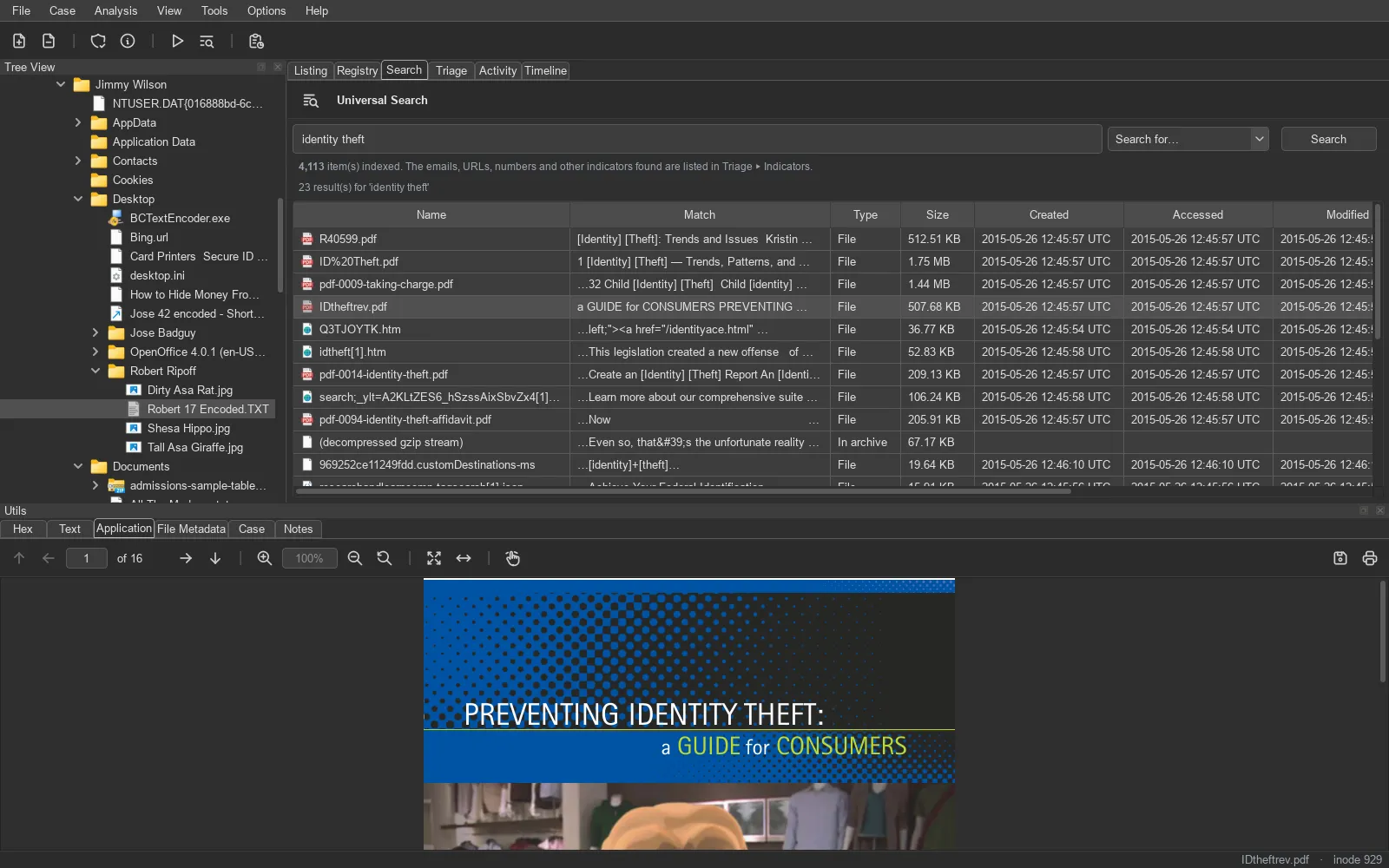
An index of the evidence’s text
Section titled “An index of the evidence’s text”Search index and indicators is an analysis module: it walks each image once and stores the readable text of every file in a per-case full-text index (SQLite FTS5). Searching is then instant, and works offline on the case alone.
Text is extracted from:
- Documents – PDF, Word, Excel, PowerPoint and OpenDocument, RTF, HTML, plain text in any common encoding.
- Mail – Outlook PST / OST, EML and mbox, messages and attachments.
- Archives – ZIP, 7z, RAR, TAR and compressed files, member by member, nested to a depth you set.
- Registry hives – key names and values.
- Everything else – printable runs of ASCII and UTF-16 text, since Windows stores much of its text as UTF-16.
- File slack of every live file, as its own item (
<file> [slack]). - Carved files, under
[carved]/with the name of the deleted file they came from.
A hit inside an archive or mailbox opens that member directly – read from the image, never unpacked to disk.
Indicators, validated
Section titled “Indicators, validated”While indexing, TRACE extracts indicators and checks each one – a pattern alone produces too much noise:
| Indicator | Kept only if |
|---|---|
| E-mail addresses | well-formed |
| URLs | well-formed |
| Phone numbers | in international form, 8-15 digits |
| Card numbers | the Luhn check passes and the prefix belongs to a card scheme |
| IBANs | the country’s length is right and the mod-97 check passes |
Triage ▸ Indicators lists the values with how often they occur; select one to see every file holding it. The Findings ▸ Indicators node gives one entry per kind across the whole case. Which kinds are extracted is a case setting.